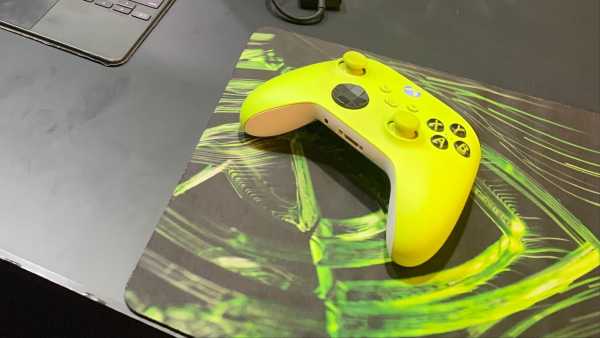
New Delhi: Nvidia has rolled out the GeForce Now cloud gaming service in India yesterday, and we are enjoying the experience so far, of being able to directly jump into games we want to play and explore new titles without having to install anything on the device. Now GeForce Now only provides the hardware for hosting the games and the streaming service from that hardware, not a library of games. You need to link up Ubisoft, Epic, Steam or Xbox accounts with GeForce Now to start playing titles. If you have an Xbox Game Pass subscription, then GeForce Now really helps you get the most out of it. Scroll to end for TL;DR.
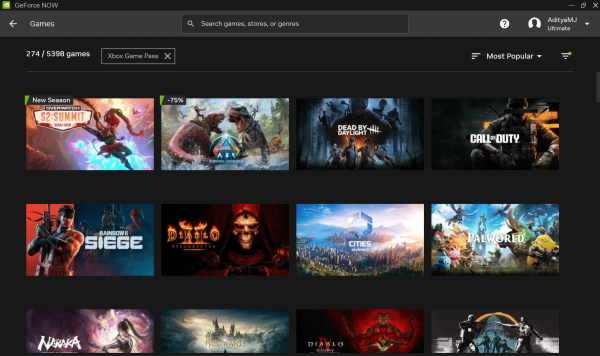
Xbox Game Pass titles on Nvidia GeForce Now. (Image Credit: Aditya Madanapalle/News9).
Note that the two services as a whole are very different, and cannot be compared head to head. Xbox Game Pass provides access to a library of titles, AAA games on the day of release, and allows you to stream some games. GeForce Now only provides the game streaming service, but allows you to link up the libraries of third-party platforms. The Cloud Gaming on Game Pass, introduced in India in November 2025, relies heavily on a controller, with most games needing them, streams the titles at a limited resolution, and has really long game load times. GeForce Now solves all of these problems.
The significant difference in gameplay settings
The back end hardware and the streaming experience is easily much better on GeForce Now. Xbox Cloud Gaming has really long wait times, and it can take even ten minutes and upwards to launch a title. In fact, faster game load times is a benefit of the higher tiers. GeForce Now has a library of thousands of Read-To-Play titles that allow you to jump straight in to the action, and the games load really rapidly. Xbox Cloud Gaming is hosted on servers that use Xbox Series X hardware, while the Nvidia GeForce Now servers use the latest Blackwell generation GeForce RTX 5080 SuperPODs. The back-end hardware is just far superior, allowing you to stream your Xbox titles at much higher settings.
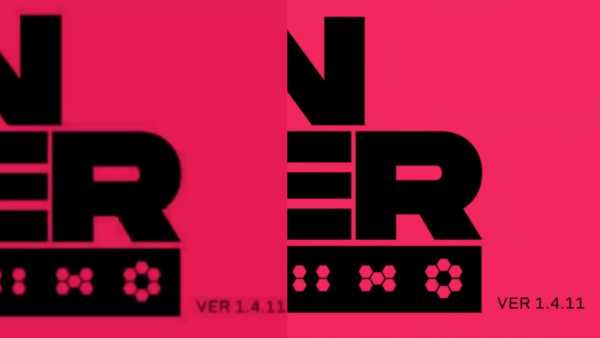
Xbox Cloud Gaming on left, and GeForce Now on right. (Image Credit: Aditya Madanapalle/News9).
Now I deliberately tested the services in an off-nominal scenario, and used smartphone WiFi instead of a wired ethernet connection or a WiFi router. Speeds were around 80 Mbps, but latency was high, around 78 ms, over a 2.4 GHz network (5 GHz is recommended). GeForce Now warned me of potential quality issues with the streaming, and so did Xbox Cloud Gaming. So my game ran on an RTX 4080 lol, guess Nvidia guessed that was sufficient. With a ping of 49 ms, the game was running at 59 FPS, streaming at 59 FPS, at a 2560 x 1600 pixel resolution. Xbox Cloud Gaming had a ping of 97 ms, streaming at 56 FPS with a resolution of 1920 x 1080 pixels. Now this a real world example, but the quality difference is much bigger if you want to play AAA titles on a large screen.
Xbox Cloud Gaming on left, GeForce Now on right. (Image Credit: Aditya Madanapalle/News9).
At best Xbox Cloud Gaming can stream at a resolution of 2560 x 1440 pixels, that is the max setting that you can pick. You can choose to stream at a lower resolution if you want to save on data use, and that is about the only choice that a user has. GeForce Now however, allows you to finetune the experience according to requirements, which can be very different say for a cinematic, casual experience such as No Man’s Sky, and a competitive game such as DOTA 2 where reflexes are important. For the Competitive setting, the FPS goes all the way up to 360 FPS, at a resolution of 1920:1200.
Xbox Cloud Gaming resolution settings on left, and GeForce Now equivalent on right. (Image Credit: Aditya Madanapalle/News9).
This high FPS is not allowed in the other modes, such as Custom. The Cinematic mode gives you 60 FPS, but you can stream at a 3.5K resolution of 3456 x 2160. If you are playing a relaxing or a story-oriented title on a large screen, this setting makes a lot of sense. The Custom mode caps you at 30 FPS, but this is the mode where you can choose the highest resolution, streaming at 5K resolution or 5120 x 2880 pixels, as well as resolutions for widescreen monitors. If you just want to experience the best versions of games, including the familiar ones that you already own, then GeForce Now does a great job of it.
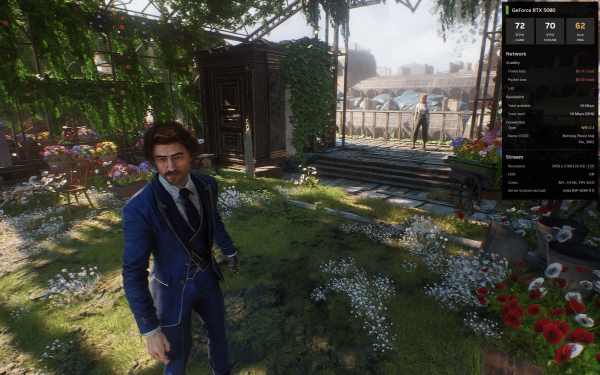
Streaming Clair Obscur: Expedition 33 at 60 FPS with a resolution of 3.5K on a mobile hotspot. (Image Credit: Aditya Madanapalle/News9).
The startup times is where GeForce Now really shines. We counted the time that it takes from clicking play to getting to the title screen. On Xbox Cloud Gaming, it took is 4:10 minutes to start up Citizen Sleeper, which is not a very heavy game. On GeForce Now, the same game started up in just 1:21 minutes, at a clearly higher quality stream, and with support for the mouse and keyboard. Normally, when we conduct such tests for reviews, we test three times, then average out the numbers. We felt that the game loaded too quickly on Cloud Gaming, and too slowly on GeForce Now, so we tried it out a second time. It loaded in 8:36 minutes this time on Xbox Cloud Gaming and 1:16 minutes on GeForce Now.
TL;DR
If you have an Xbox Game Pass, then you can stream the same games at higher quality, while running them on superior hardware through GeForce Now. In fact, it is better in some ways as you can jump right in and out of games, without having to install them first. If you do not have the latest hardware, and want to experience what gaming feels like on a top-of the line setup, then GeForce Now provides a nearly identical experience. If you are primarily a PC user, then GeForce Now is more suited for keyboard and mouse input combination, but can also handle a controller just as well. The combination of Xbox Game Pass, which gives you a vast library, works very well with GeForce Now that lets you stream them from the best gaming hardware. This is good for anyone who wants to get back to gaming, game in short bursts while on the move, or during a break, and even for those who want to try out games for the first time.
Contact to : xlf550402@gmail.com
Copyright © boyuanhulian 2020 - 2023. All Right Reserved.