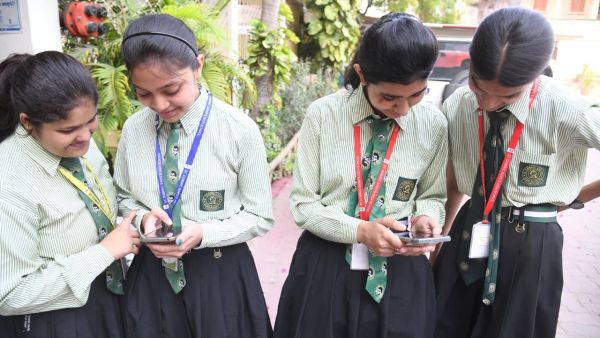
MBOSE 10th Result 2026 Out: See result in 1 click, download marksheet like this. Mbose 10th Result 2026 Out At Mboseresults In How To Check Sslc Scorecard Download Link
MBOSE 10th Result 2026 has been released. Know how to check SSLC result by roll number and date of birth, download marksheet PDF, what is the easy way to check result through SMS and DigiLocker.
MBOSE SSLC Result 2026 OUT: Meghalaya Board has released the result of 10th (SSLC) examination 2026. Students can easily check their marks online. Know how to check your MBOSE SSLC result, how to download the scorecard and if needed, how to use options like SMS or DigiLocker? Complete details.
Where to see MBOSE SSLC Result 2026?
Students can check their results by visiting the official websites given below-
- mbose.in
- mboseresults.in
- megresults.nic.in
How to Download MBOSE SSLC 10th Scorecard PDF?
If you want to download your marksheet, follow these steps-
- Visit any official website mbose.in or mboseresults.in or megresults.nic.in.
- Now click on SSLC Class 10 Result 2026 link.
- Enter your roll number and date of birth.
- Your result will be visible on the screen.
- Now download the PDF and take a print out.
- Advice: Keep a printout of the scorecard for future reference.
How to check MBOSE SSLC Result 2026 from mobile app?
If the website is slow, you can use the mobile app to check the result-
- Open Google Play Store.
- Search MBOSE SSLC Result 2026.
- Download a trusted app.
- Login to the app and enter roll number and DOB.
- The result will be visible on the screen.
How to check MBOSE SSLC Result 2026 through SMS?
Don't have internet? No problem. Result can also be seen through SMS-
- Type MG10 roll number and send to 58888
- Type MBOSE10 roll number and send to 56263
- The result will come on your mobile within a few seconds.
How to Download MBOSE SSLC 10 Marksheet from DigiLocker?
DigiLocker is also a good option for digital copy-
- First register in DigiLocker.
- Enter the 6-digit access code you received from the school.
- Verify mobile number with OTP.
- Login and search MBOSE SSLC marksheet.
- Download and take a print out.
What things should be kept in mind while checking the result?
- Enter the roll number correctly, otherwise the result will not open.
- The website may become slow, in such cases refresh frequently.
- Keep SMS and app option as backup.
Contact to : xlf550402@gmail.com
Copyright © boyuanhulian 2020 - 2023. All Right Reserved.