5
Complete news at a glance
- Dust or damage on the SIM card may cause the ‘No SIM’ message, which can be fixed by cleaning or replacing the card.
- A glitch in the phone’s software or lack of updates can also cause the ‘No SIM’ error, which can be resolved by a restart or software update.
- Network provider issues, such as outages or maintenance, may also cause the SIM card to appear inactive, which resolves on its own.
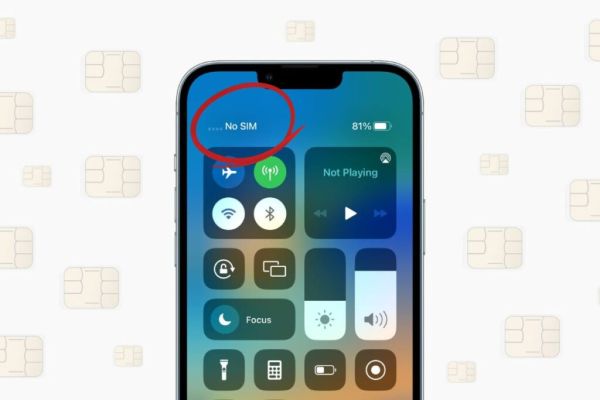
Have you ever noticed that suddenly ‘No SIM’ appears on your smartphone, even though the SIM card is still there? This problem confuses many people, especially when everything was working fine. Phone experts believe that there are some simple reasons behind this, and the good thing is that you can solve most of these problems yourself. Let us know why ‘No SIM’ message appears and how it can be fixed.
Dust or damage on SIM card
Sometimes even small dust in the SIM slot can interfere with a proper connection. Additionally, there may be scratches or other damage on the SIM card over time, causing the phone to show “No SIM”. In such a situation, cleaning the SIM gradually or replacing it when necessary can be an effective solution.
Software glitches or updates
Every time the problem is not hardware . Sometimes a bug in the operating system of the phone can also cause ‘No SIM’ error. In this case, restarting the phone once and installing the latest software update usually resolves the problem.
Network or carrier problems
Sometimes the problem may also come from your network provider. Minor outages or maintenance may cause the SIM card to appear inactive. There is no need to worry in such a situation, after some time it will correct itself.
SIM slot or hardware problem
If both SIM and network are fine, the problem may be with your phone’s hardware. Sometimes the phone is unable to read the card due to a fault in the SIM slot or any component inside it. In such cases, professional repair is usually required.
Other news to this news
Have any thoughts?
Share your reaction or leave a quick response — we’d love to hear what you think!
Contact to : xlf550402@gmail.com
Copyright © boyuanhulian 2020 - 2023. All Right Reserved.