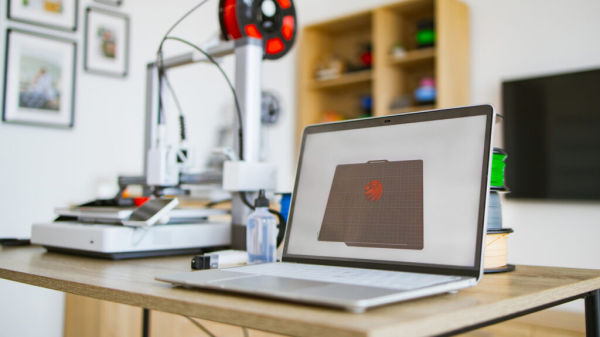
A 3D printer is a fantastic tool to have at home. There are plenty of weirdly useful things you can make with it, and all you really need is a bit of filament. Just load up a print on your laptop, and you’re good to create hundreds of items at the press of a button. If you want to get a bit more creative with it, the prints you load up can even be helpful for the laptop itself.
Laptops are useful devices, but not all of them are perfect. General wear and tear can cause them to lose functionality, or they might simply lack a few key features. Both of these issues can be resolved by a few clever accessories that can be 3D printed. All these accessories are small and simple, so you don’t need a $2,000 Phenom by Peopoly 3D printer to make effective use of them — though you’ll definitely be more assured by their quality if you do.
For laptops with touchscreens: Stylus holder
These days, you can find plenty of laptops with touch screens, giving users fine control beyond the mouse pad and keyboard. For example, Framework, the company known for making upgradable laptops (and for getting Lenovo’s lawyers angry with a power button design), offers a touch screen on its 12-inch model. You can also choose to buy a stylus with it, but the model itself doesn’t have a place to store that helpful addition. Without an extra accessory, you just have to carry the stylus separately from the laptop and hope you don’t lose it.
This is where the 3D printer can help. With a print like the stylus USB holder by Aikhae, you can make a minor attachment for the laptop that will keep your stylus attached to it. This print uses of one of the laptop’s USB ports for this purpose, offering a very simple solution. Before using it, you’ll need to test that the holder is the right size for your stylus (it was only tested with the Wacom Bamboo Ink gen 2). You should also make sure that the printed item doesn’t damage anything. As convenient as it might be, a piece of plastic jostling inside your USB port can end up doing more harm than good.
For overheating laptops: Ventilation feet
Plenty of laptops feature holes on their underside for the sake of ventilation. This design is so common that many people wonder why it even exists. Laptops are often placed on a table or some other area that blocks the ventilation, causing hot air to become trapped and adversely affect the whole device. For those models, the only way to solve this issue is by raising them from their position, giving the vents some room to breathe.
You might have already thought of printing some sort of laptop stand; It’s a perfect project for a 3D printing beginner, after all. But if you want something smaller and simpler, the Support legs for better ventilation by Maxmaia are a perfect choice. These lift the device a bit to give its bottom vents some breathing room, helping to keep things cool without going overboard. It’s nothing that can’t be resolved through any other small piece of plastic, but a print that’s designed to be vent-friendly is also more likely to keep the laptop stable in its spot.
For fragile laptops: Protector covers
Regardless of how reliable some laptop brands can be, wear and tear is inevitable on something you’re physically opening and closing so often. The hinge might get weak, the casing might fall victim to cracks or chips, and the whole upper half of it could become detached from the bottom. You might not have enough spare cash on hand to replace the laptop entirely, or you might just want to keep it around for sentimental value. At that point, you’ll want to give it as much protection as possible.
There is no one-size-fits-all solution for protecting your laptop, but you might be able to find a 3D print for your specific laptop. A user named HeyVye on Thingiverse, for example, has created a protector for the MSI GS73which comes in the form of four plastic pieces that wrap around the device’s corners. This keeps the laptop from being thrown open if it falls on the ground, protecting its screen and keyboard. As a bonus, these protector pieces can also work as ventilation feet, though their unique design might conflict with other laptops.
For sight-impaired laptop owners: Braille tiles/keycaps
Many different groups have sought to make the internet more accessible to those with visual impairments. Google released a virtual braille keyboard for Android devices back in 2020, but many laptops don’t include this kind of luxury. Once again, 3D printing allows for an option that doesn’t involve buying a whole separate keyboard. Simply print out the Braille Tiles by Gorki and affix them on top of each letter of the keyboard, giving them the signature touch-friendly bumps.
Actually applying these tiles can be tricky, though. Dedicated braille keycaps do exist, but a great number of laptops aren’t compatible with their shape or size, so you might just have to glue these tiles to the keys. Depending on the model, the tiles might also stop the laptop from closing all the way, so this isn’t something that’s incredibly compatible with portability.