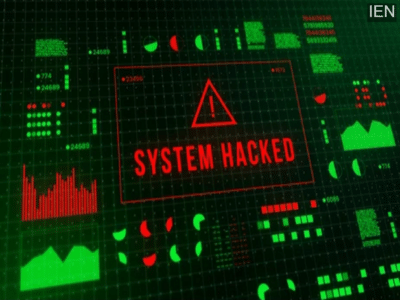
The threat of hacking is ever-present in the digital world. Despite all precautions, hacking incidents continue to occur. It's important to know what to do after a hack.
As internet usage increases, so does the threat of cyberattacks. Now, with the advent of AI, preventing cyberattacks has become even more difficult. Thousands of cyberattacks occur daily worldwide, stealing people's data and money. It's crucial to be vigilant to avoid such attacks. However, if your account or system is ever hacked, you need to take immediate action.
Do these things if you get hacked.
Disconnect the internet - If you believe your system or device has been hacked, disconnect it from the internet immediately. As long as your system remains connected to the internet, it will continue to send data to hackers. Therefore, disconnect the internet. Also, put the device on airplane mode and turn off all connectivity options, including Bluetooth.
Block your credit card - If you notice suspicious transactions on your bank account after the hacking, immediately block your card. If an invalid transaction has occurred using your card, inform your bank and other agencies.
Change passwords for all accounts - If the hacker has used the hacking tool to steal data, change the passwords for all your accounts. Be careful not to change the password from the compromised system. Use a smartphone or another computer. When creating a new password, choose completely new characters and ensure they don't resemble the old password.
Scan your device - Once you've secured your device, card, and account, scan your device to remove malware. You can use Microsoft Defender or other antivirus software for this.
Factory reset your device - Sometimes, even after scanning with antivirus tools, threats remain. If you still see any suspicious apps after scanning your device, factory resetting your device is the most effective way to remove any malware or viruses from your system.
Contact to : xlf550402@gmail.com
Copyright © boyuanhulian 2020 - 2023. All Right Reserved.