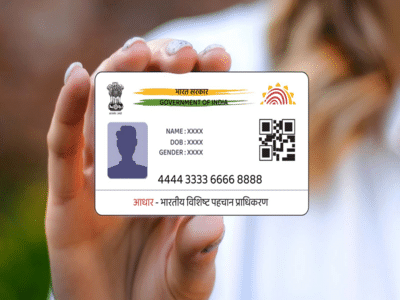
Aadhaar Update February 2026: The process of updating your home address on your Aadhaar card has become simpler than ever. People can now easily update their home address with the UIDAI's new Aadhaar app. Previously, people had to go to Aadhaar enrollment centers, stand in long lines, and submit physical documents. Now, the entire process can be done easily from home using a smartphone. This not only saves time but also reduces hassles.
Address Updating Made Easy
The ability to update your address using the Aadhaar app is especially beneficial for working individuals, the elderly, and those living in remote areas. All you need is a mobile phone number linked to your Aadhaar and a good internet connection. Let's explore how you can update your address using the app...
Step-by-Step Process for Address Update
First, download the official Aadhaar app from your phone's app store.
Once the app is installed, log in using your Aadhaar number and the mobile number linked to your Aadhaar.
For security reasons, you may need to set up an MPIN or use biometric or face authentication.
After logging in, go to the Services section and select the Address Update option.
Here, you'll be asked how you want to update your address: either upload your own valid address proof or use the Aadhaar number of a family member living at the same address.
If you choose to use your own documents, upload a photo or scanned copy of any valid address proof (such as an electricity bill, bank document, etc.).
After this, type your new address carefully and check it thoroughly in the preview before submitting.
The next step involves face authentication to confirm your identity.
After this, a fee of approximately ₹75 is required.
Once the request is submitted, UIDAI verifies your documents and your new address is usually updated within a few days to two weeks.
Disclaimer: This content has been sourced and edited from NDTV India. While we have made modifications for clarity and presentation, the original content belongs to its respective authors and website. We do not claim ownership of the content.
Contact to : xlf550402@gmail.com
Copyright © boyuanhulian 2020 - 2023. All Right Reserved.