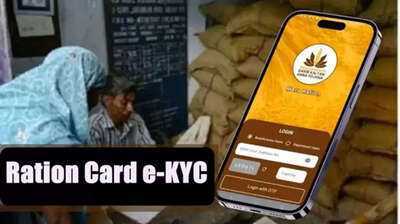
The central government is providing subsidized and free rations to millions of people across the country through ration cards under the National Food Security Act (NFSA). However, the government has now taken another important step to ensure that the benefits of this scheme reach only eligible people. Under this, e-KYC has been made mandatory for ration card holders. The government says that e-KYC will prevent fake and duplicate ration cards and ensure that needy people receive rations on time.
How often is e-KYC required?
According to the new rules, e-KYC for ration cards is now required once every 5 years. Many people completed this process for the last time in 2013 or earlier. Therefore, updating their e-KYC has become very important for them. The good news is that you no longer need to visit government offices for this, as the entire process will be online. Let's learn how to complete the ration card e-KYC from home.
How to complete the ration card e-KYC from home?
You can complete the e-KYC in just a few minutes with the help of your smartphone. For this, you just need to follow the steps given below.
First, download the Mera KYC and Aadhaar FaceRD apps on your smartphone.
Open the app and set your location.
Then enter your Aadhaar number, fill in the captcha, and verify with the OTP received on your mobile.
Your Aadhaar-related information will be displayed on the screen.
Now tap on the Face e-KYC option.
The phone's camera will turn on; look at the camera and click your photo.
If the photo is correct, click on the Submit button.
After this, your ration card e-KYC process will be complete.
How to check if e-KYC is complete?
If you want to check whether your e-KYC has been successfully completed or not, you will have to follow a simple method.
First, open the Mera KYC app.
Then enter your location.
Enter your Aadhaar number, captcha, and OTP.
After this, the status will be displayed on the screen. Status: If it shows Y, then e-KYC is complete.
Status: If it shows N, then e-KYC is still pending.
How to get offline e-KYC done?
If you are facing difficulties in doing e-KYC through the mobile app, don't worry. You can also opt for the offline method. For this, you will have to visit your nearest ration shop (FPS) or CSC (Common Service Center). You will only need to carry your Aadhaar card and ration card. The concerned employee will then complete your e-KYC process.
Disclaimer: This content has been sourced and edited from Dainik Jagran. While we have made modifications for clarity and presentation, the original content belongs to its respective authors and website. We do not claim ownership of the content.
Contact to : xlf550402@gmail.com
Copyright © boyuanhulian 2020 - 2023. All Right Reserved.