In the increasingly digital world, laptop has now become a necessity for every home and office. Be it studies, office work or online activities from home – everything depends on this one machine. But experts say that almost half of laptop users in India make mistakes that reduce the lifespan of their devices by several years. Due to these habits, the laptop often slows down prematurely, starts overheating or is on the verge of shutting down completely. Let us know those five big mistakes which need to be corrected immediately.
1. Overcharging—the biggest enemy of laptop battery
It is often seen that people keep the laptop on charging continuously, even if the battery is completely full. According to technical experts, this habit not only reduces the life of the battery but also seriously affects its performance. Even though modern laptops come with smart charging systems, keeping them charged at 100% for a long time harms the health of the battery. The ideal situation is to maintain the battery between 20 to 80 percent.
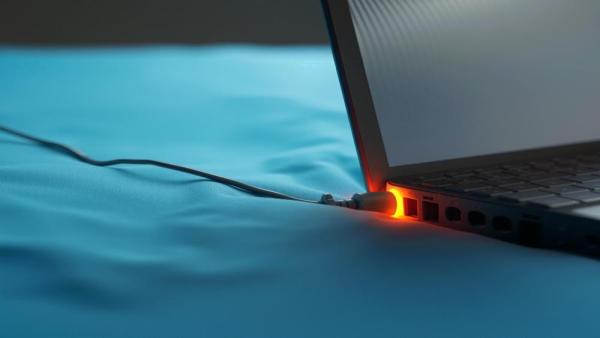
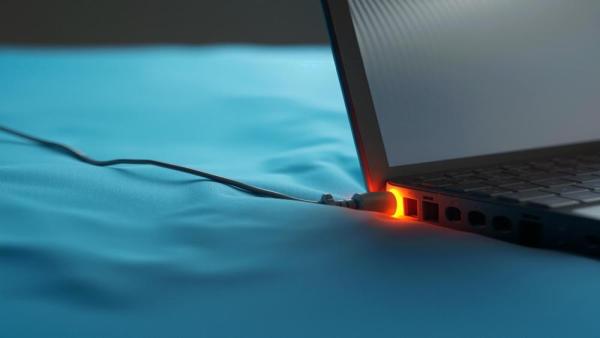
2. Running laptop on bed – main cause of overheating
Be it winter or summer, many people work by keeping their laptop on the bed, pillow or any soft surface for convenience. This blocks the vents of the laptop and stops the airflow. As a result the system heats up and the processor goes into overload. Prolonged exposure to such conditions can cause serious damage to the motherboard and internal components. Experts recommend always operating a laptop on a hard surface.
3. Use of unofficial charger or local adapter
Local chargers are easily and cheaply available in the market, but their use makes the power supply of the laptop unstable. Wrong voltage can damage the device and in many cases there is a risk of short circuit. Using genuine branded chargers is not only safe but also helps in increasing the lifespan of the device.
4. Not cleaning dust – fan jam and performance down
In a dusty environment like India, laptop fans and vents get blocked very quickly. Most people ignore the fact that the dust accumulated inside reduces the cooling capacity of the laptop. Due to this the machine becomes slow and may even stop suddenly. It is considered necessary to service the laptop at least every 3–6 months.
5. Running multiple programs simultaneously for speed
Multitasking has become common these days, but the capabilities of every laptop are different. Many users put extra load on the system by opening multiple heavy applications, browser tabs and software at the same time. This increases the pressure on the processor and the laptop starts freezing. It would be better to run the applications as per the requirement and restart the system from time to time.
Wi-Fi Calling: Clear voice even in weak network, know how it works
Contact to : xlf550402@gmail.com
Copyright © boyuanhulian 2020 - 2023. All Right Reserved.